Lab 4: Javascript Loops and Operators
Conditional Statement with a Confirm Script
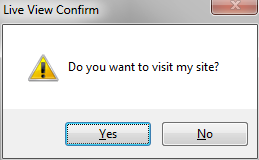
Create a new html file and save is as lab4_js_confirm.html
Add the following script tag between the head section of the page.
This script contains
<script>
if (confirm("Do you want to visit my site?"))
{
window.location="http://www.johnmcgarvey.com";
alert("Good Choice");
}
else
{
alert("Then you will stay right here!");
}
</script>
Loop Statement: Conversion Table
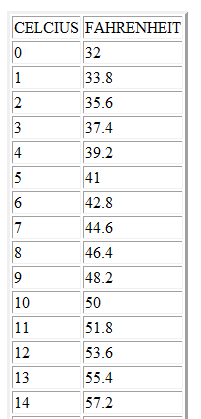
Create a new HTML file, save the file as lab 4_js_loop.html
In this example, we are going to create a table to display the conversion from Celsius to Fahrenheit.
First we have to create the html to start the table and the headings row.
<table border="3">
<tr>
<th>CELCIUS</th>
<th>FAHRENHEIT</th>
</tr>
</table>
Add the JavaScript Loop
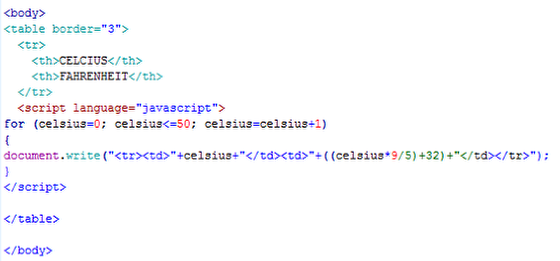
Next, we need to create the JavaScript loop that will create 50 rows of the table.
The syntax of a for loop,
for (variable=startvalue;variable<=endvalue;variable=variable+increment)
{
code to be executed;
}
In our example, the for condition defines the variable celcius = o, it checks to see that the variable is less than or equal to 50, and then it increases the celsius variable by one each time it goes through the loop.
In the loop, a document.write statement prints out a table row with two table data cells. The first cell prints the value of the celsius variable. The second cell performs a calculation on the celsius variable to convert it to fahrenheit. This is repeated 50 times.
Save both files and upload and link to this weeks lab.