Lab 9: JavaScript Greeting Script
This simple external JavaScript will print different data onto the page based on the time of the day.
Open the index page to your portfolio.

Create a new external js file and name it lab9_js_greeting.js. Open the index.html page in your portfolio. Within the first intro paragraph inside the div with the id content, create scripts tags that link to this external javascript.
Code:
<script src="js/lab9_js_greetings.js" type="text/javascript"></script>
Get the Current Hour
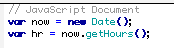
Create a variable called now that stores a new date() object. Then use the getHours() method to get the current hour and store it in the variable hr.
Code:
var now = new Date();
var hr = now.getHours();
Based on the Hour of the Date Print a Statement to the Page
Use a series of if statements to evaluate the hour of the day, and then print the appriopriate document.write statement to the page.
Code:
if (hr >= 18)
{
document.write("Good evening, ");
}
if (hr >=12 && hr < 18)
{
document.write("Good afternoon, ");
}
if (hr < 12)
{
document.write("Good morning, ");
}
Results of the Code
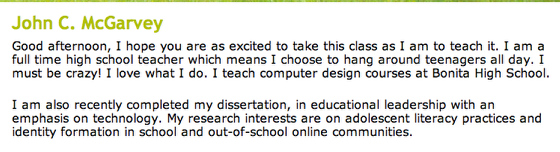
The screenshot above was taken at 4:00 in the afternoon and it printed "Good afternoon, " to the page.
Complete Code:
// JavaScript Document
var now = new Date();
var hr = now.getHours();
if (hr >= 18)
{
document.write("Good evening, ");
}
if (hr >=12 && hr < 18)
{
document.write("Good afternoon, ");
}
if (hr < 12)
{
document.write("Good morning, ");
}